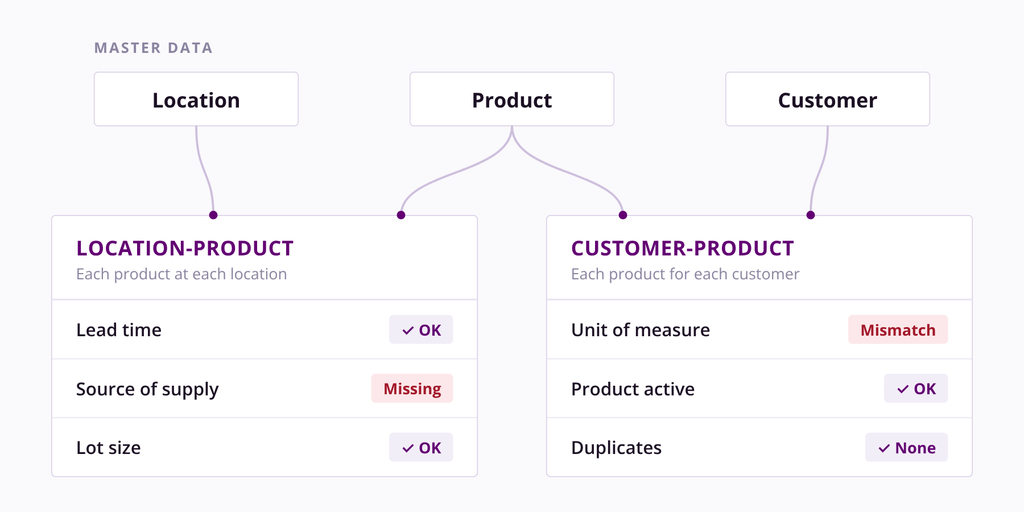
SAP IBP plans on combinations: each product at each location, and each product for each customer. When one of those records has a missing lead time, no source of supply or a unit of measure that doesn’t match, the planning run still finishes. It just finishes with the wrong numbers, and planners spend their week correcting results that were wrong before planning even started.
The Master Data Quality Scan finds those records before they reach the plan.
How the scan works
- Extract. We take the master data your planning area actually uses: products, locations, customers, and the location-product and customer-product combinations that connect them.
- Check. We look for missing fields, values that make no sense (such as a lead time of zero), units of measure that don’t match, duplicates, and combinations that point to inactive or deleted records.
- Hand over. Every issue is tied to a specific record, ranked by its effect on the plan, and assigned to the team that owns that data.
What you receive
- A fix list, record by record, showing the issue, its effect on planning and the data owner
- A one-page summary of data health for each master data type
- The list of checks we ran, so your team can repeat them after the fixes
- A walkthrough of the results with the data owners